


Tired of tripping over cords or crawling under your desk to untangle cables? This cable tray mounts with adhesive — no drilling, no tools — and holds up to 3kg of cords in one clean, hidden channel.
This post contains affiliate links. If you purchase through a link on this page, we may earn a commission at no extra cost to you. As an AliExpress affiliate, we earn from qualifying purchases.
A cable tray sounds like a small, unglamorous purchase, right up until you’re the person crawling under a desk trying to find the right power cord in a nest of six identical black wires. This 40cm PVC desk cable tray is built to solve exactly that problem, without drilling into your desk or furniture to do it.
It’s a straightforward product category, but the details matter more than they seem to at first glance — load capacity, mounting method, and length flexibility all affect whether a tray like this actually solves the mess or just relocates it. A cheap, poorly rated cable tray can end up sagging under the weight of cords within weeks, which defeats the entire purpose of buying one in the first place.
Table of Contents
Quick Take
Best for: Anyone with a tangled mess of cords under a desk who wants a no-drill, no-tools fix. Skip if: You need to manage cables across a very long desk run — at 40cm per piece, wider setups will need multiple trays. Price: Budget-friendly, typically a few dollars per tray on AliExpress.
Pros of This Cable Tray
- No-drill, adhesive-mount installation
- Holds up to 3kg of cables and cords
- Free-cutting design fits custom lengths
- Available in 4 colors to match desk finishes
- Simple, tool-free setup
Cons of This Cable Tray
- 40cm length may require multiple trays for wide desks
- Adhesive mount depends on a clean, flat surface
- PVC construction, not metal, for heavier-duty setups
- Limited to under-desk or similar flat-mounting use cases
What Is This Desk Cable Tray?
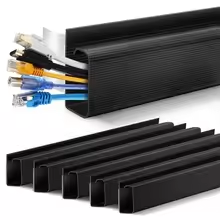
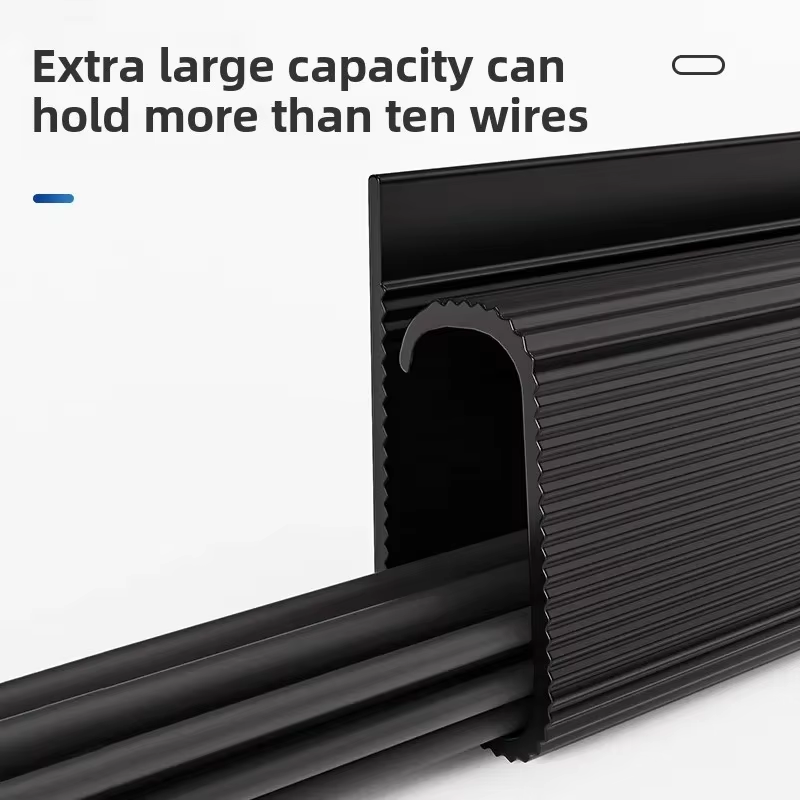
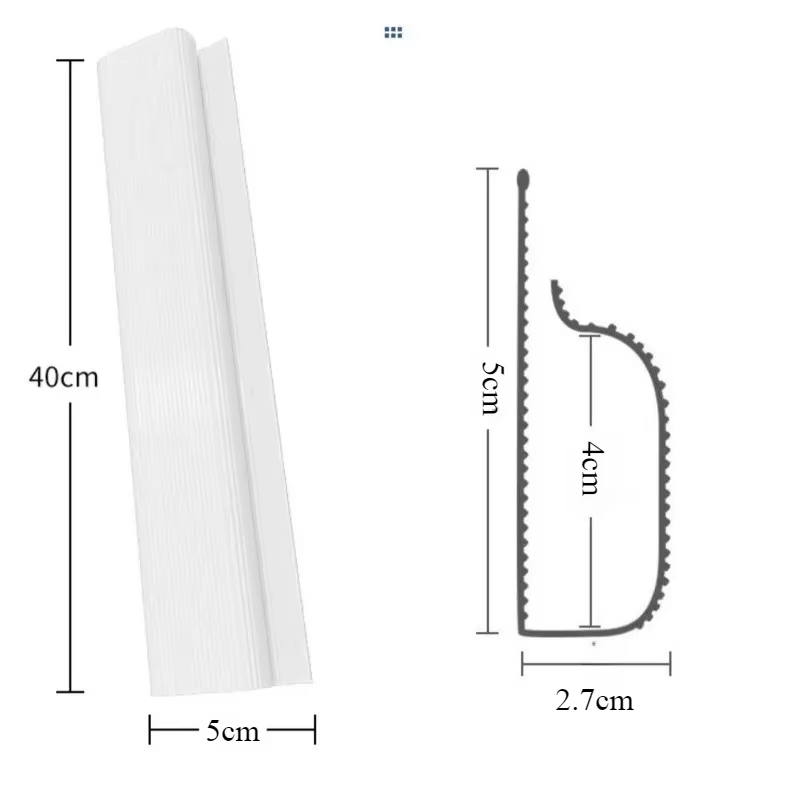
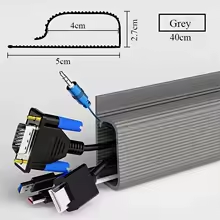
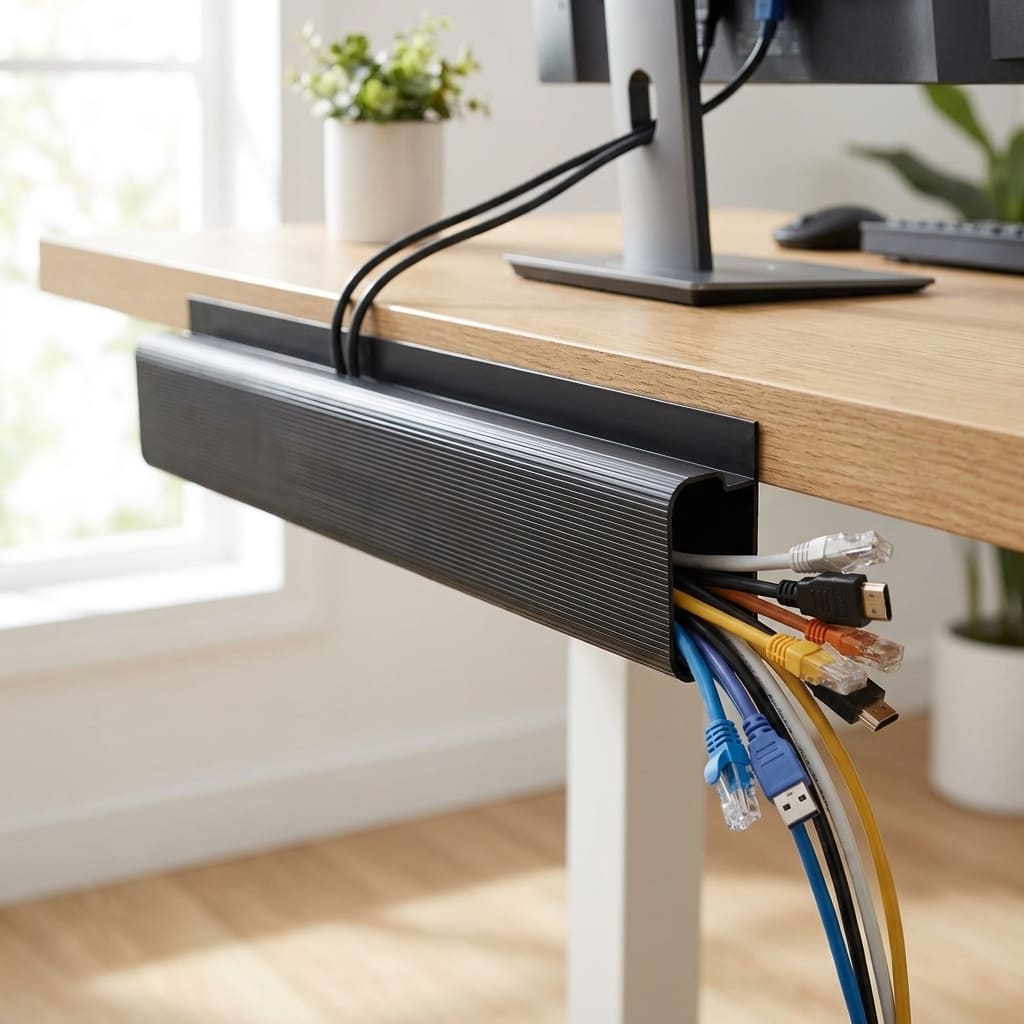
This cable tray is a PVC channel designed to mount underneath a desk and hold cords, cables, and power strips out of sight. This cable tray measures 40cm long, 5cm wide, and 4cm tall, with a 2.7cm opening along the top where cables sit before the tray’s shape closes back around them to keep everything contained.
The material for this cable tray is PVC, manufactured in Jiangsu, China, and this cable tray comes in four color options — black, white, grey, and brown — so it can be matched to different desk finishes rather than standing out as an obvious add-on. The ridged, channel-style profile is a common design across this category of cable tray, and it’s built specifically to be mounted upside down along the underside of a desk, rather than sitting on top of any visible surface, which is what separates a true cable tray from a simple clip-style organizer.
Key Specs for This Cable Tray at a Glance
- Length: 40cm (free-cutting for custom sizes)
- Width: 5cm
- Height: 4cm (2.7cm opening)
- Material: PVC
- Load capacity: Up to 3kg
- Colors: Black, White, Grey, Brown
- Installation: No-drill, adhesive-mount
Why Cable Management Actually Matters
It’s easy to treat a messy cable situation as purely cosmetic, but loose cords are a documented, common hazard, not just an eyesore. According to a workplace safety analysis from FFVA Mutual, cables and extension cords are one of the most common trip hazards in any workspace, and the National Safety Council reports that slips, trips, and falls account for over 400,000 workplace injuries a year resulting in missed work or job restrictions.
Most of that data is about commercial workplaces, but the underlying issue — a cord stretched across a walkway or dangling within reach of a rolling chair — applies just as much to a home office. A cable tray that keeps cords contained under the desk, rather than looped across the floor, directly addresses the exact hazard that safety guidance consistently flags.
Beyond the safety angle, there’s a simpler everyday benefit: a chair that can roll freely under a desk without snagging a charging cable, and a floor that doesn’t need to be stepped over carefully every time someone sits down to work. A cable tray solves both of these at once, since it moves the entire cord bundle off the floor and out of the path of foot traffic and furniture, which is a small but genuinely noticeable quality-of-life improvement for anyone who spends hours a day at the same desk.
How the No-Drill Installation Actually Works
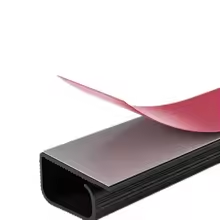
This cable tray mounts using adhesive backing rather than screws or brackets, which is the detail that makes this particular cable tray renter-friendly and low-commitment. The strip runs along the back of the tray, and once it’s pressed into place against a clean, dry surface, it’s designed to hold firmly without additional hardware.
Because it’s adhesive-mounted, surface prep matters more than it would for a screwed-in bracket. Wiping down the underside of the desk before installation removes dust and oils that could weaken the bond, which is a small step but one that meaningfully affects how well the cable tray holds up over time, particularly in humid climates where dust and moisture can build up faster on the underside of furniture. Pressing firmly along the entire length, rather than just at the ends, also helps ensure even contact across the adhesive strip.
The free-cutting design also means the tray isn’t locked into a single length. If 40cm is longer than needed for a specific spot, it can be trimmed down, which is a practical touch for desks with uneven cable routing needs across different sections. This flexibility is one of the more useful features for anyone dealing with an L-shaped desk or a setup with obstacles like drawers or support legs in the way, since a fixed-length tray would otherwise force an awkward workaround or leave a visible gap.
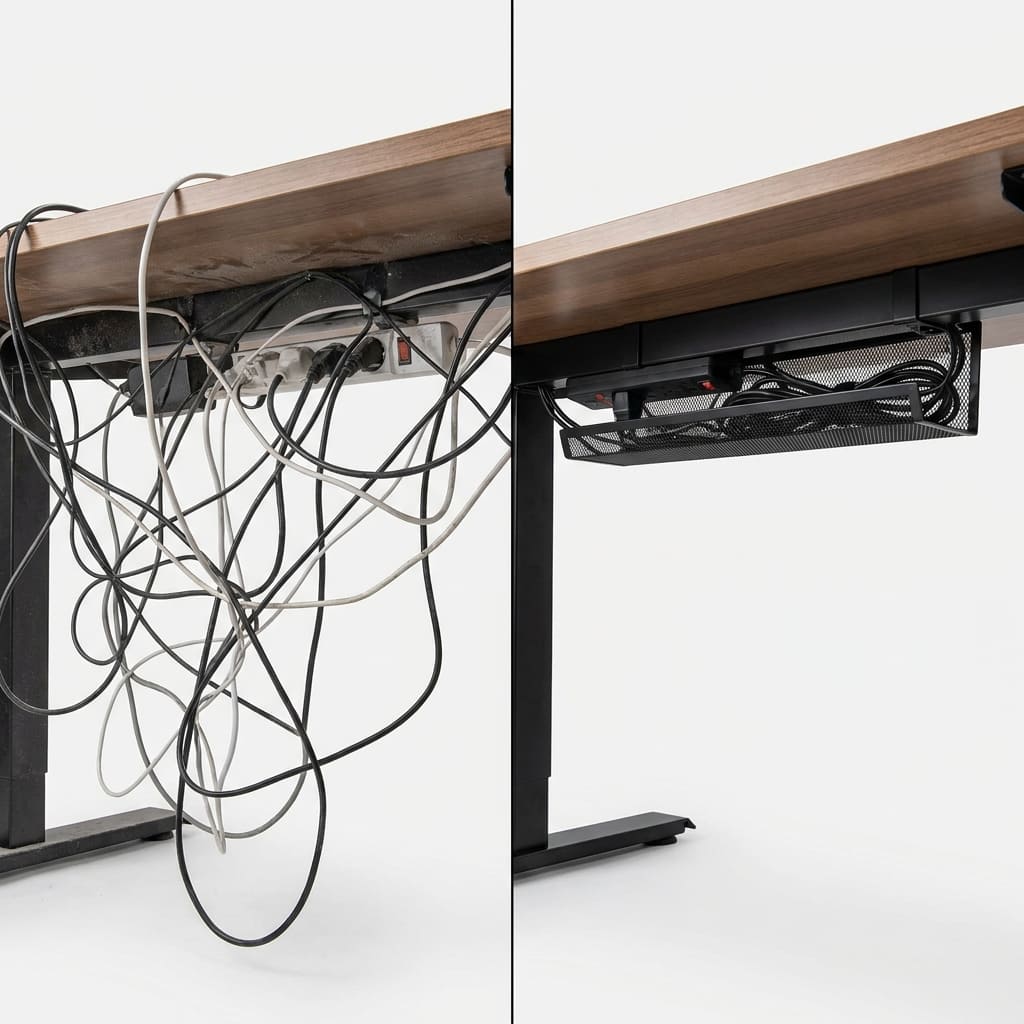
Real-World Use: What to Expect
In everyday use, this tray is meant to sit just under the desk surface, running along the back edge where cords naturally hang down toward outlets and power strips. This cable tray’s 3kg load rating covers a realistic bundle of charging cables, a monitor cord, and a small power strip, though it’s not intended for heavier equipment like a full surge protector loaded with adapters.
The “before and after” appeal of a product like this is genuinely part of the point: a visible tangle of cords becomes a single, clean channel running along the underside of the desk, which changes how a workspace looks and feels even though nothing about the actual cables has changed. For video calls or in-person meetings at a desk, that visual difference is often the most immediately noticeable result.
Multiple cable trays can also be combined for larger setups — a common approach is running one tray along the back of the desk for the main cord bundle, with additional shorter sections cut from a second tray for branches leading to individual devices, so each cluster of cords stays contained rather than merging into one overloaded channel.

What to Look for in a Desk Cable Tray
If you’re comparing this cable tray against other cable tray options, a few details are worth checking before you buy:
- Load capacity — make sure it’s rated for the actual weight of your cords and any power strips you plan to route through it.
- Mounting method — adhesive mounts are easier to install but depend on a clean surface; screw-in trays hold more securely but require drilling.
- Length and cutting flexibility — a free-cutting design adapts better to odd desk shapes than a fixed-length tray.
- Color match — a tray that blends into the desk’s underside looks intentional rather than like an obvious accessory.
- Material — PVC is lightweight and affordable; metal trays cost more but handle heavier cable loads.
- Opening width — a wider opening makes it easier to add or remove cables later without unmounting the entire tray.
None of these details are unique to this particular cable tray, but running through them before buying helps avoid the most common complaint with adhesive cable management: a tray that looks great on day one and starts sagging within a few weeks because the surface wasn’t prepped properly, or because the cord load quietly crept past what the tray was ever rated to hold.
Who Should Buy This Cable Tray?
This cable tray is a good fit for anyone setting up or cleaning up a home office or workspace desk who wants a fast, no-drill way to hide cords. It’s especially useful for renters, since the adhesive mount avoids putting holes in furniture that isn’t necessarily permanent, and for anyone who’s already invested in a nice desk and doesn’t want to compromise its appearance with visible screws or brackets.
It’s probably not the right choice for anyone managing a very long desk run without buying multiple trays, or anyone with heavier cable loads — server-style setups or multiple monitors with heavy cords — that exceed the 3kg rating. If workspace organization is a broader project for you, our Workspace Picks reviews cover other options worth comparing.
For a shared office with several identical desks, buying this cable tray in bulk and standardizing the color across every workstation is a simple way to keep the whole space looking consistent, rather than a patchwork of different cable-management solutions across different desks.
How We Evaluated This Cable Tray
This review is based on the manufacturer’s published specifications, dimensions, and installation method, cross-referenced against general workplace cable-management safety guidance and common feedback patterns for adhesive-mount cable trays in this category. Where specific long-term durability claims weren’t independently testable, that’s reflected in the trade-offs noted above rather than presented as confirmed fact.
Frequently Asked Questions
Does this cable tray require drilling into my desk? No, this cable tray uses an adhesive-backed, no-drill mounting method, so it installs without screws, brackets, or tools.
How much weight can this cable tray hold? It’s rated for up to 3kg, which comfortably covers a bundle of charging cables, a monitor cord, and a small power strip.
Can I cut this cable tray to a shorter length? Yes, it’s designed with a free-cutting feature, so it can be trimmed to fit shorter sections of a desk if the full 40cm isn’t needed.
What colors does this cable tray come in? It’s available in black, white, grey, and brown, which covers most common desk finishes.
Will the adhesive hold long-term? Adhesive mounts generally hold well on a clean, dry, flat surface; wiping down the mounting area before installation is the main factor in long-term hold.
Is this cable tray suitable for an office with multiple desks? Since it comes in a single 40cm piece, larger office setups with multiple desks or longer cable runs will typically need more than one cable tray per desk, based on the specific layout.
Can this cable tray be removed and reinstalled elsewhere? Adhesive-mounted cable trays are generally designed for a single, semi-permanent placement; removing and reapplying the same adhesive strip elsewhere usually results in weaker hold, so a fresh mounting location is preferable if you need to relocate it.
Final Verdict on This Cable Tray
For a simple, no-drill way to clean up under-desk cable chaos, this PVC cable tray does the job it’s designed for: a contained, out-of-sight channel that holds a realistic bundle of everyday cords without requiring any tools or damage to the desk itself.
The trade-offs are minor and mostly situational — the 40cm length means wider desks will need more than one cable tray, and the adhesive mount rewards a bit of surface prep before installation. For the price and the amount of visible clutter it resolves, this cable tray is a reasonable, low-risk upgrade for almost any home office setup.
Judged against the actual problem it’s meant to solve — cords draped across the floor or dangling in the way of a desk chair — this cable tray delivers a straightforward, affordable fix without asking for much in return beyond a few minutes of setup time and a clean surface to stick to.
This article reflects publicly available product information and general cable-management safety guidance; individual results can vary based on desk surface, cable load, and installation conditions.